
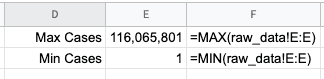
Sometimes you have a huge dataset and you just want to know what the min/max values for certain range. In Excel or Google Sheets, you can use a simple =MAX() or =MIN() formula to get those values.
To use this formula, you just need to have the range you're looking at.
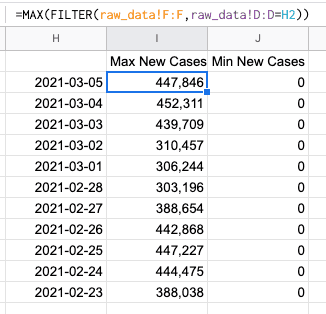
You can combine this with other formulas to parse out the data into segments. For example, we're going to figure out the number of new cases per day across all of the countries reporting covid-19 cases.
Common Use Cases
- Quickly figure out your top or bottom values
- Filter down a data set to only the most recent record
- Track the high scores for a quiz or a game


